The things you check,
before you unlock.
GlanceKit builds Lock Screen and Home Screen widgets out of the things you already keep an eye on — a countdown, the weather, an exchange rate, a headline, or any JSON API you can name. No account, no server of ours, nothing to sign up for.
HOW IT WORKS
Pick what it shows
Start from a countdown, a clock, the weather, or a note you write yourself. Or reach for one of fifty-five ready-made sources across nine categories. Everything is configured in the app and saved on your phone.
Put it where you look
Add a widget beside the clock, on the Lock Screen, or on the Home Screen, then choose which one it shows. Every widget you place decides for itself, so three widgets can show three different things.
Let the day go past
It refreshes on a cadence you set, and values carry their age with them. A delayed reload says “updated 18m ago” rather than passing an hour-old price off as current.
THE IDEA
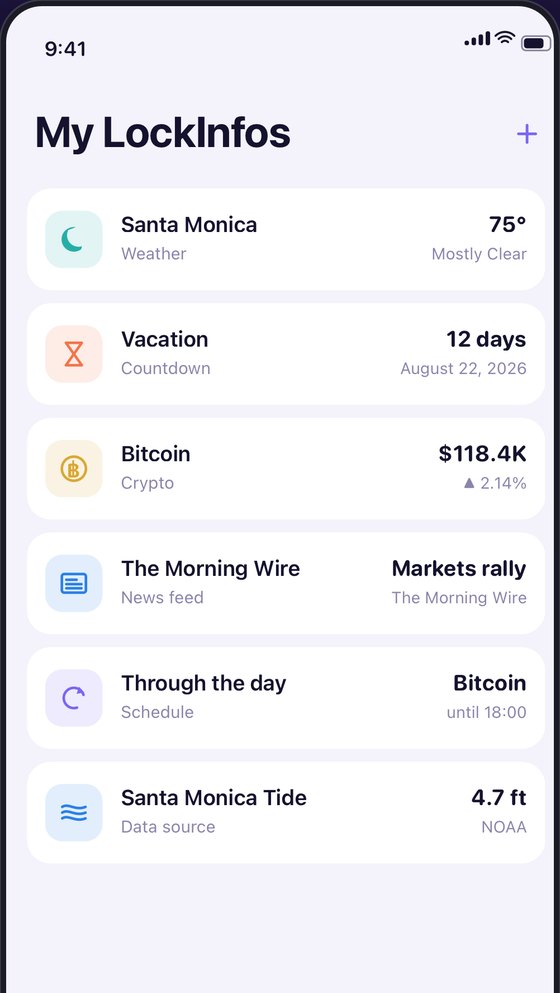
One list of the things you keep an eye on
A countdown to the trip. The weather where you are. A price. A headline. A tide. You build each one once, give it a name, and it lives in a list. GlanceKit calls them LockInfos, and the whole flow is: name it, pick a source, drop it on your Lock Screen.
WHERE THE DATA COMES FROM
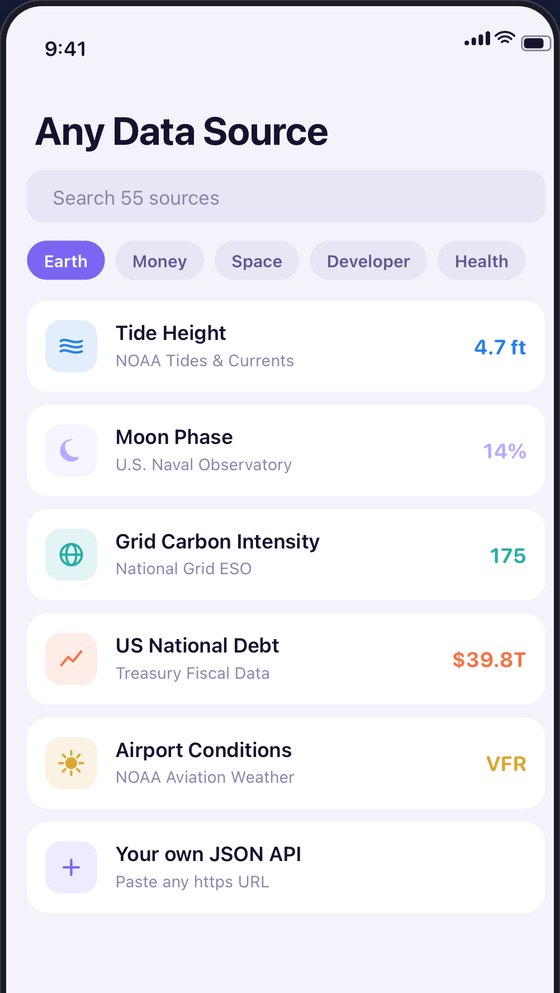
Fifty-five sources, already wired up
Nine categories, from Bitcoin block height to the carbon intensity of the UK grid to how many objects the Met holds. Each carries its attribution and a link to the provider’s own documentation, so you can read about a source before you trust it. Five of the fifty-five need a key you get yourself, from the vendor — those are marked as such, and GlanceKit ships no keys of its own.
THROUGH THE DAY
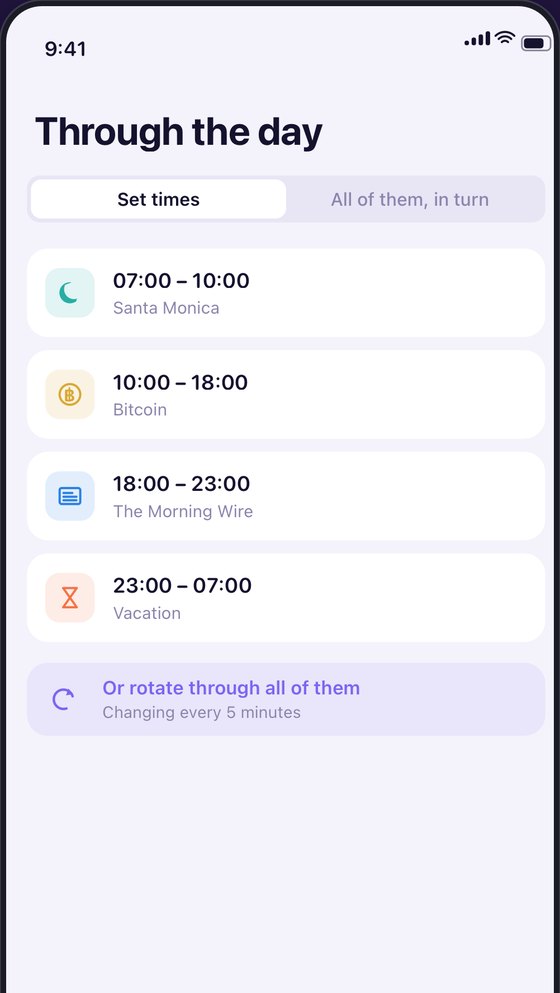
A different face for each part of the day
Weather at breakfast, a price at noon, tomorrow’s plan at night. A schedule hands the same widget to a different thing as the day moves — up to eight periods, with midnight handled properly. Or set it rotating through everything you have made, on a cycle from five minutes to an hour.
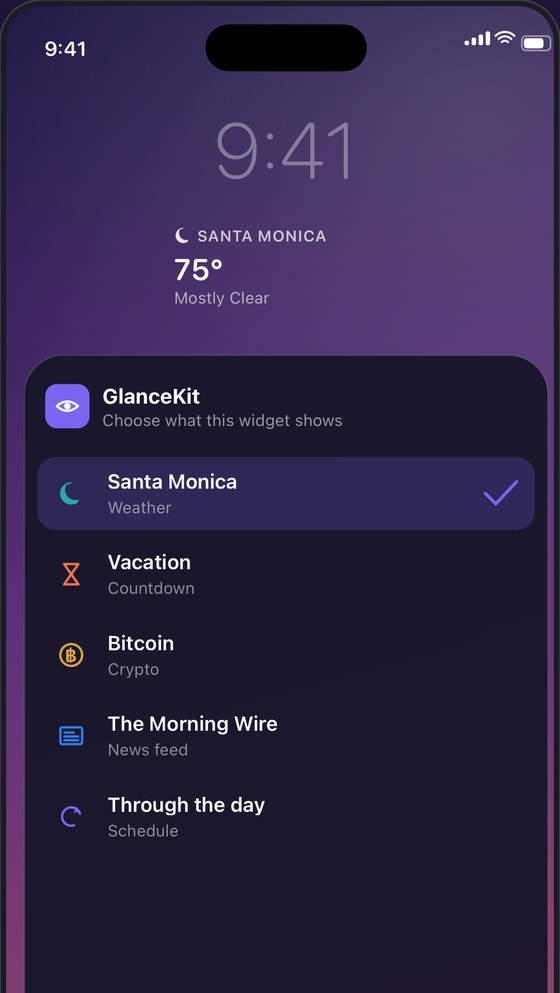
ONE WIDGET, ANY OF YOUR DATA
Every widget you place decides for itself
Long-press your Lock Screen, add one GlanceKit widget, then pick which of your LockInfos it shows. Place three and they can show three different things. Change your mind later without removing anything — the widget keeps pointing where you sent it, even if you rename it or reorder the list.
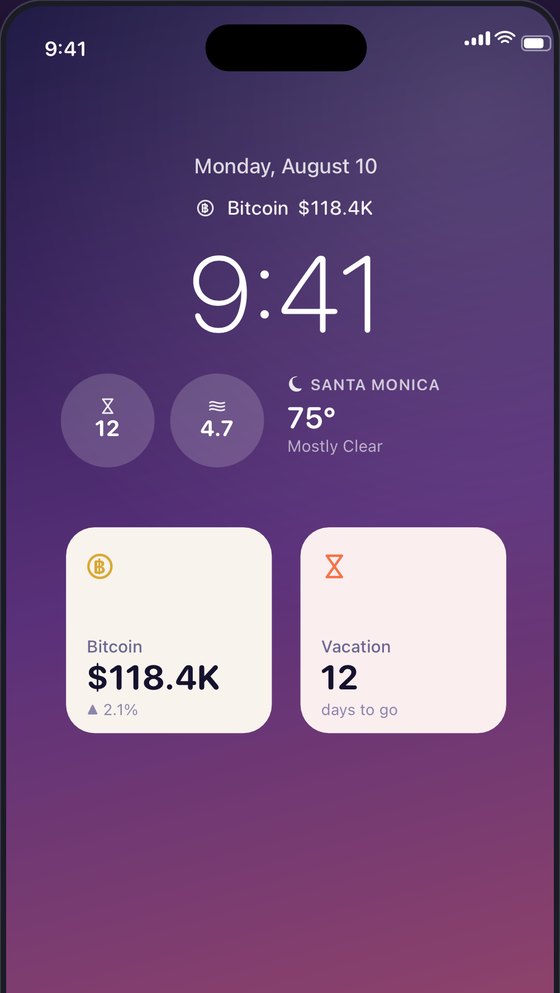
EVERY SIZE
Inline, circular, rectangular, small and medium
The line beside the clock, the two Lock Screen shapes, and both Home Screen sizes. Icons are SF Symbols and no colour ever carries meaning on its own, so a widget stays readable when the system strips it back. Every value ships a full spoken sentence for VoiceOver instead of leaving a bare number to be guessed at.
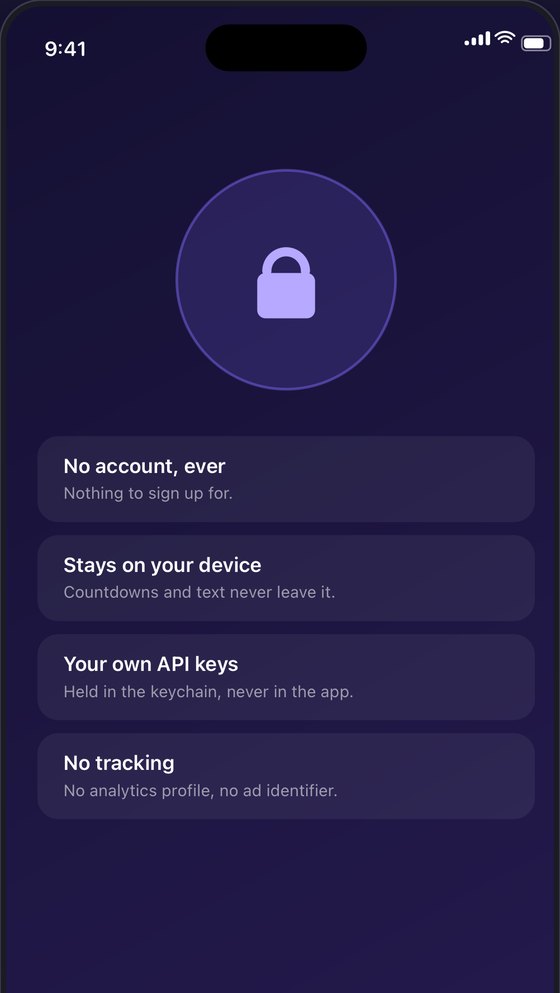
WHAT IT DOES NOT DO
It works without knowing anything about you
There is no sign-in, no profile, and no GlanceKit server, so nothing is routed through a machine we own. Requests go straight from your phone to the source you chose, over HTTPS, with no cookies and no stored cache. Countdowns, clocks and notes never touch the network at all — they are computed on device and drawn a week ahead, correct even offline.
And if it is not in the list, point it anywhere
Paste an HTTPS endpoint, give it a dotted path to the value, then add a subtitle path, a trend path, a prefix, a suffix, a decimal place. Tap Test this source to fetch once and see exactly what the widget will render. Your own server, your team’s status endpoint, a hobby API nobody else has heard of. If it changes shape a year from now, that is something you can repair rather than a dead end.
WHAT YOU CAN PUT ON IT
Crypto
Block height and mempool fees from mempool.space, chain data from Blockstream, the Fear & Greed Index from Alternative.me.
Money
European Central Bank reference rates through Frankfurter, Bank of Canada rates, the U.S. Treasury’s own debt figures, World Bank indicators.
Earth & Weather
Forecasts from MET Norway, earthquakes and streamflow from the USGS, river levels from the UK Environment Agency, tides from NOAA.
Space & Sky
Space weather from NOAA, sunrise and moon times from the U.S. Naval Observatory, close approaches from JPL, NASA’s Astronomy Picture of the Day.
Developer
Repository and user figures from GitHub, download counts from npm and crates.io, pulls from Docker Hub, your reputation on Stack Exchange.
Getting Around
Line status from Transport for London, and live cycle availability from the City of Paris open data portal.
Life & Culture
Wikipedia summaries and Wikimedia’s On This Day, holdings at the Metropolitan Museum, Nobel laureates, Open Library and Open Food Facts.
Or any HTTPS endpoint you type in yourself.
Privacy, specifically
- No account and no backend. There is nothing to sign in to, and nothing of yours sitting on a machine we run — because we do not run one.
- Nothing in the app but Apple’s own frameworks. No analytics SDK, no crash reporter, no advertising or attribution kit, and no advertising or device identifier of any kind.
- Your keys stay yours. API keys live in the iOS Keychain and are only ever attached to requests to the address you pointed that widget at.
One thing we will not hide: because there is no server in the middle, every request is made by your iPhone directly to the source you chose — so that source sees your IP address, exactly as if you had typed their address into Safari. The privacy policy names every destination and everything sent to it.
You look at that screen more than any other. It may as well tell you something first.